
(01)
Scattered feedback
Screenshots, voice notes, and comments arrive in different places.
Creative review and approval
Bring images, PDFs, and videos into one visual review flow. Your team and clients can comment in context, compare versions, and record a clear decision.
The problem
A message can settle a quick question. It cannot reliably show which file changed, which comment is still open, or who approved the final version.
Screenshots, voice notes, and comments arrive in different places.
The team and the client open different files and review starts again.
A final “looks good” gets separated from the version it was meant for.
The real product
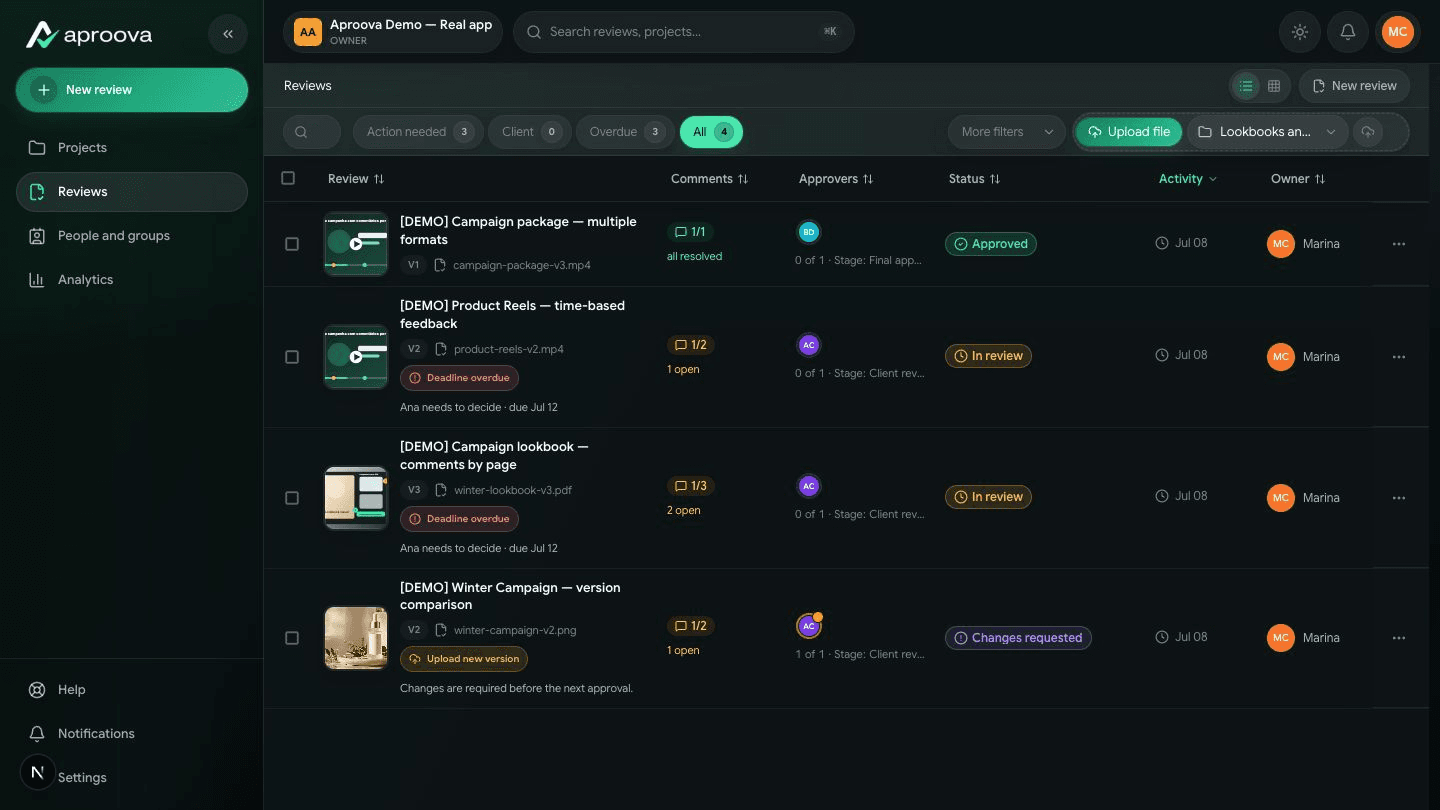
These screens come from the product itself: review queues, comments on the work, current versions, video feedback, and recorded decisions.
See what is approved, late, or waiting for a response.
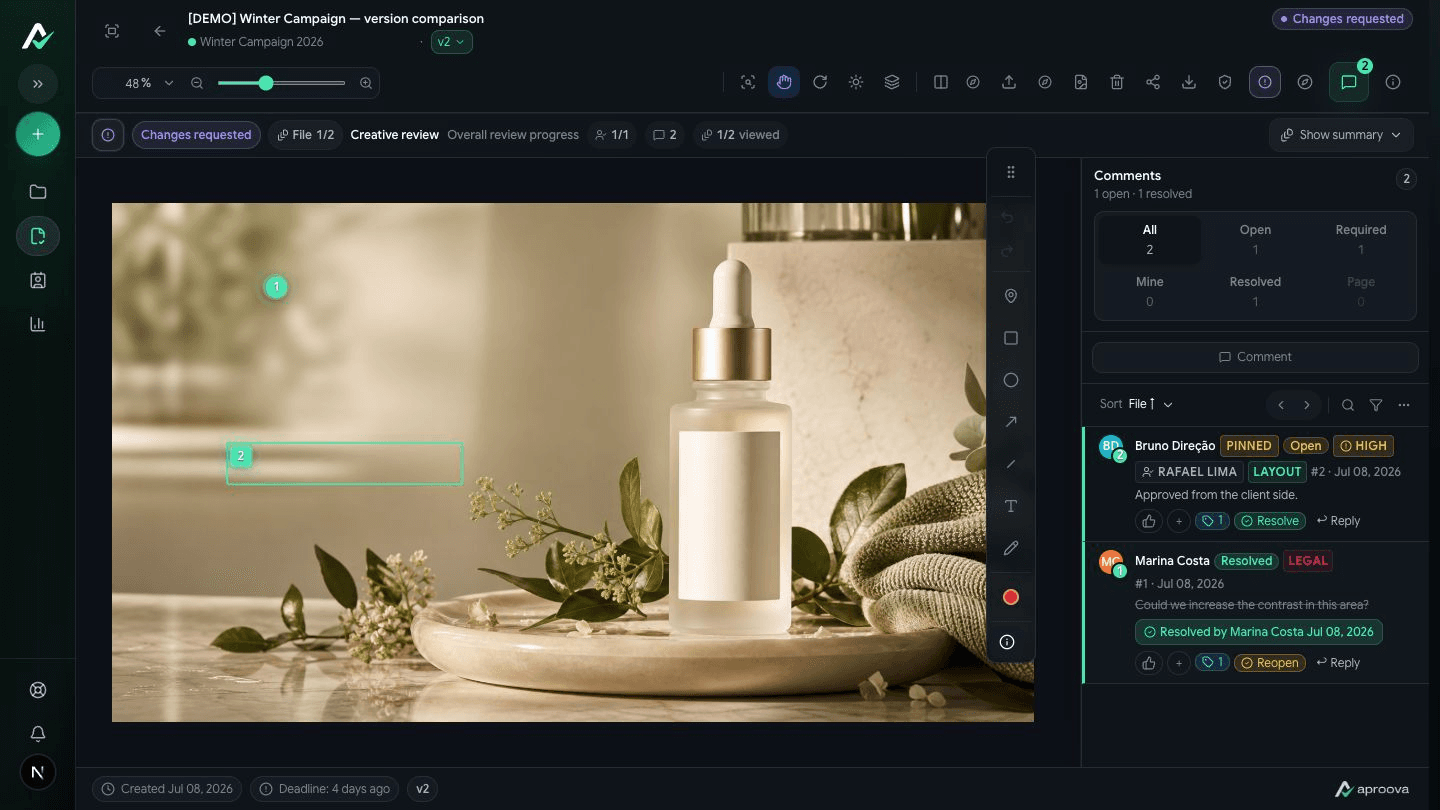
Pin feedback to the exact area instead of describing it in chat.
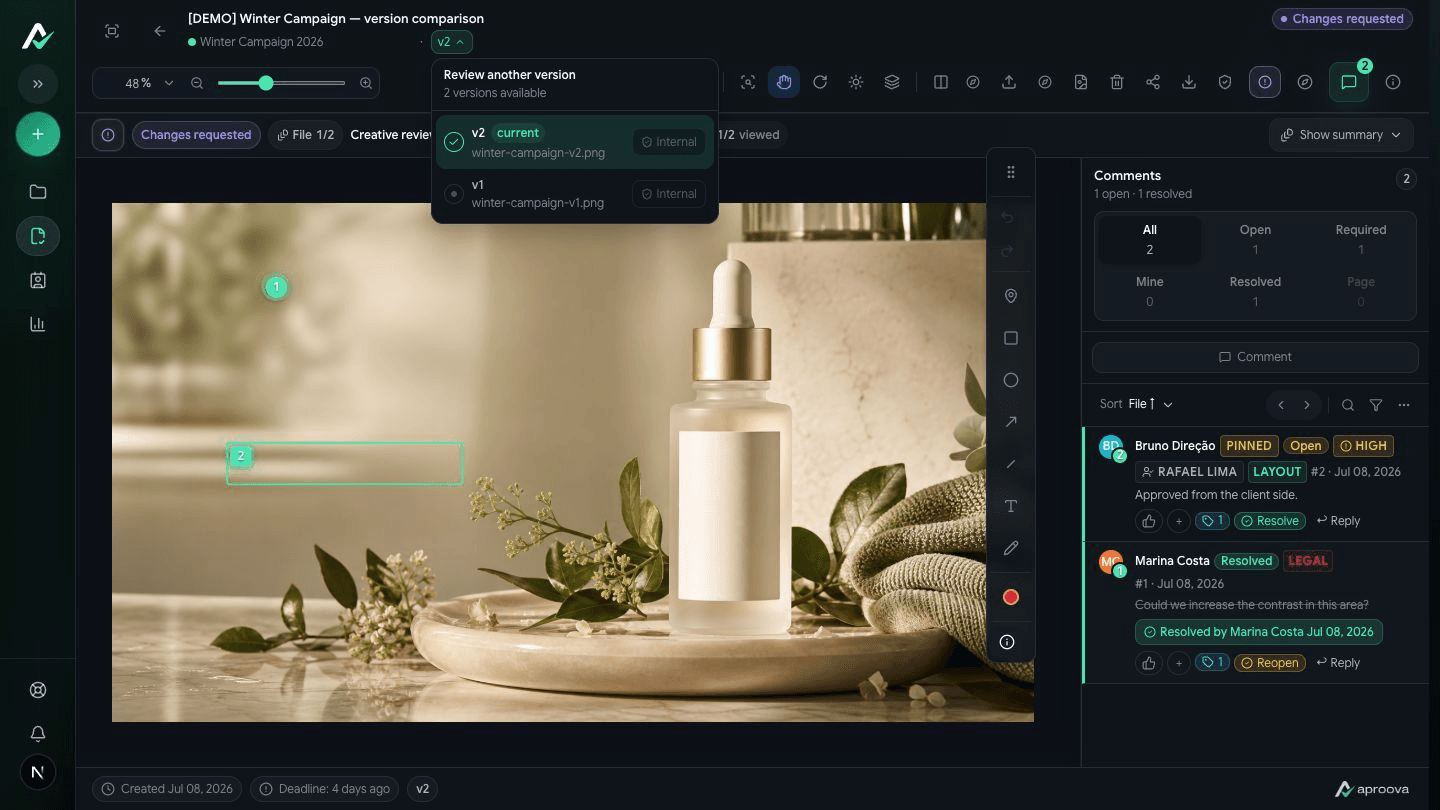
Keep the active file, requested changes, and history together.
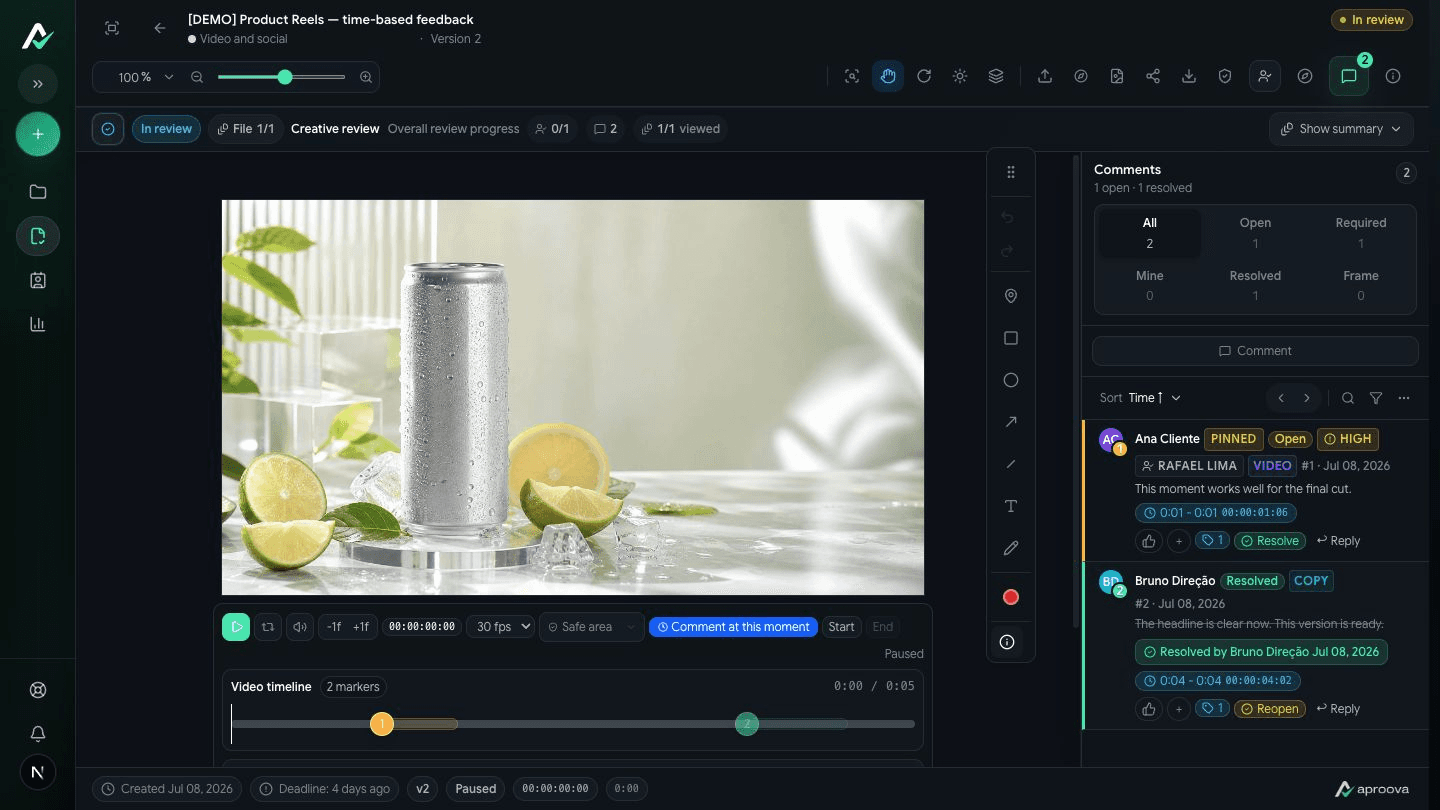
Comment on the right second and resolve the point without searching.
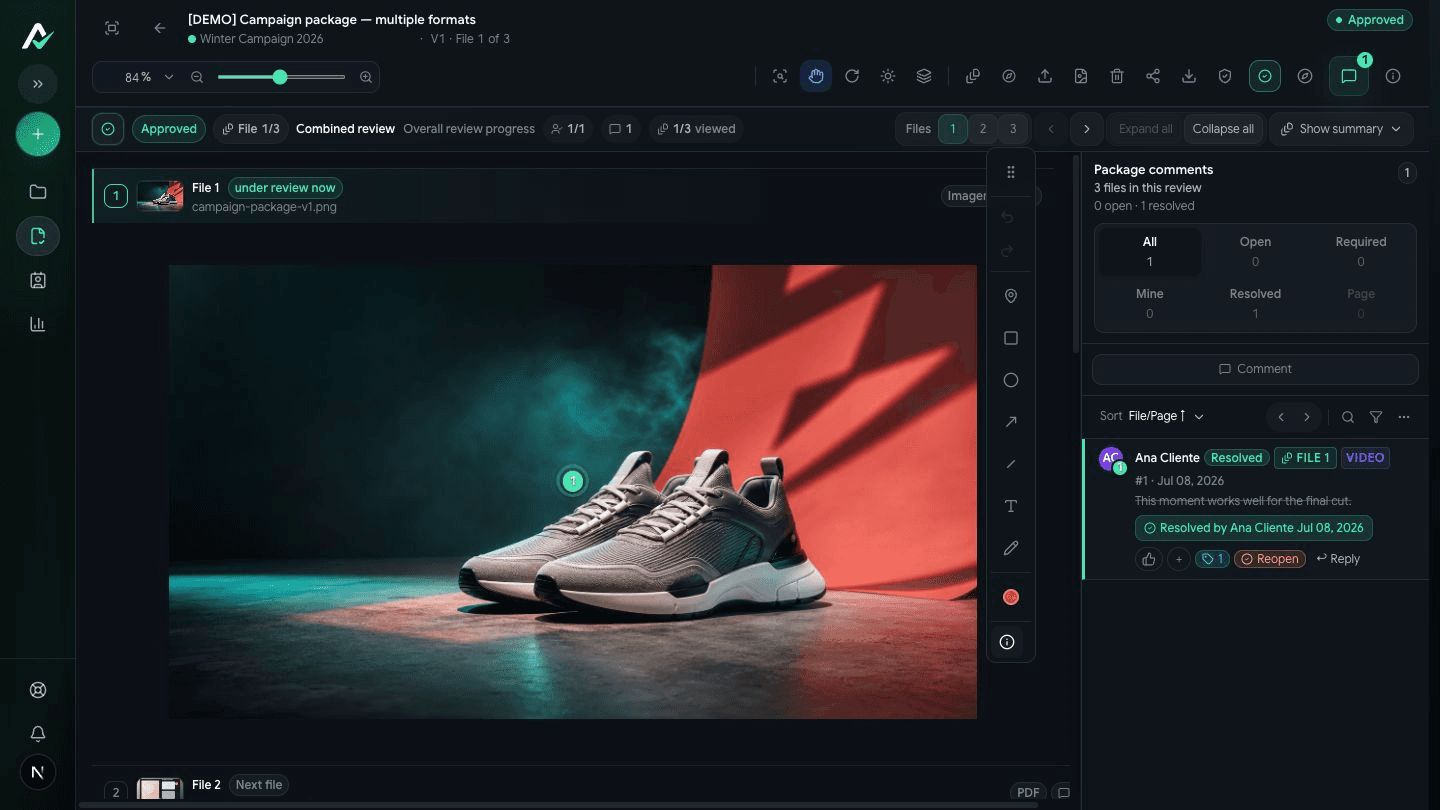
Keep the decision with its author, date, and approved version.
How it works
From upload to decision, without losing the thread.
Organize work by client, campaign, or team.
Add an image, PDF, or video with its context.
Give teammates, clients, and approvers the right access.
Attach feedback to an area, page, or second of video.
Approve or request changes with a durable history.
For clients
Clients see the material you shared, comment in context, and approve or request changes without entering the entire workspace.
For every side of the workflow
Agencies, brands, marketing teams, and clients work in the same review with the right access.
Keep client feedback on the file, not buried in a group chat.
Run recurring campaign reviews with status and ownership.
Record the final decision before a campaign goes live.
Receive precise feedback before revision becomes rework.
Built for real review work
The same review, version, decision, invitation, and status tools shown in the product captures.
Pins and annotations directly on images, PDF pages, and video.
A visible current version with history for every round.
Clients can review without entering the whole workspace.
Separate access for teammates, reviewers, and approvers.
See who approved, when, and on which version.
Return to the next action without searching old conversations.
Before and after
Workspace
The same interface used at app.aproova.co, with review queues, comments, approvers, and status.
Start with a real review
Use the Free plan to validate your first review. Paid plans include a 14-day trial for teams that need more volume and control.
Free plan available. Paid plans include a 14-day trial.
Frequently asked questions
Clients can open a review link and comment on the material without navigating the full team workspace.
Yes. Comments can be attached to an image area, a PDF page, or a specific time in a video.
Yes. Every review keeps its version history and makes the current version clear before approval.
Conversation can stay where your team prefers. The file, feedback, version, and decision stay together in Aproova.
Start with one real review, invite the right people, and keep the final decision with the work.
Free plan to validate the workflow. 14-day trial on paid plans.